


Building and Running a Maven Project
2635 views

In this video we show you how to build and run your Maven project from command-line, with dependencies packaged as a Jar file.
This assumes you have Maven installed already.
If you don't already have Maven installed, go here to download it: https://maven.apache.org/download.cgi
And here to install it: https://maven.apache.org/install.html
Suggested Videos
04:40
Running Your Container in Kubernetes
2547 views
01:31
Git Configuration
4446 views
01:34
Logging Into VM for CS370 Term Project
2861 views
03:04
REMIX: A web-based IDE for SOLIDITY
1714 views
02:00
Running Storm jobs on IDE and cluster
2627 views
01:57
Windows: Installing a Local Web Server
2045 views
01:07
Basic Linux Commands: Working with Directories 2
1712 views
02:04
Writing Distributed Applications with PyTorch
2384 views
02:09
Hadoop 3.3.6 Environment Setup
1241 views
01:12
Intro to Sustain's Data Download Tool
1572 views
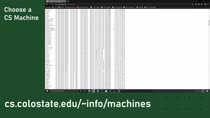
01:40
Remote Login From Windows via SSH
4796 views
01:56
Hadoop - Configuration Files
4443 views
01:32
Submitting Assignments Using Checkin
2332 views
02:43
Implement a RESTful API with Spark
2231 views
01:24
Setting Up Gradle in Eclipse
2983 views
