


Create a Maven Project in IntelliJ
3978 views

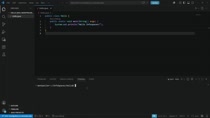
In this video, we show you how to initialize a basic Maven project in IntelliJ.
We will be using this project to implement a Spark RESTful web server.
Documentation:
http://sparkjava.com/
Maven dependencies and versions can be found here:
- https://mvnrepository.com/artifact/org.apache.maven.plugins/maven-compiler-plugin
- https://mvnrepository.com/artifact/com.sparkjava/spark-core
Suggested Videos
01:16
Adding a Video to the Infospaces Ecosystem
1524 views
02:06
Building and Running a Maven Project
2631 views
04:40
Running Your Container in Kubernetes
2541 views

03:07
Intro to Aperture
2563 views
01:57
Dockerfiles - Part 1
1857 views
02:40
fork(), wait(), exec() in C - Video 1/2
4419 views
01:35
Development Environment using vsCode with Docker
4609 views
03:04
Metamask and the Rinkeby Faucet
2364 views
02:00
Apache Spark - Setting Up a Spark Cluster
7280 views
02:00
Java NIO - Server Select Loop
2358 views
03:54
Remote SSH Using VS Code
8482 views
02:07
Uploading a Docker Image to DockerHub
2517 views
01:32
User Experience: Color Matters
2383 views

03:01
Managing Context in Claude Code
320 views
01:41
Java - Running Java Outside of the IDE
188 views
